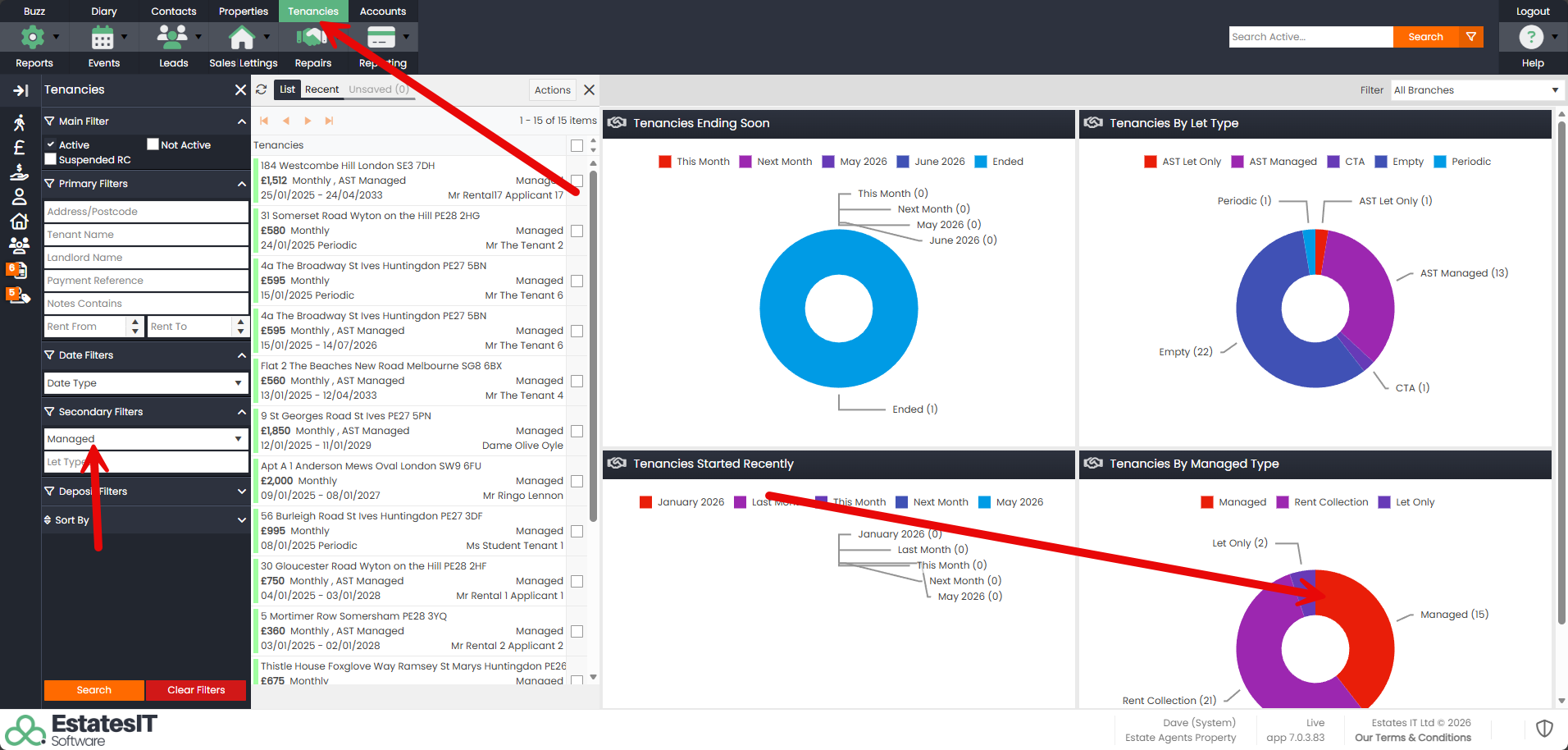
Step 1 : Go to the Tenancies tab and select an appropriate data set eg. “Managed properties”. You can click on elements in the pie-chart or use the filters in the left section.
Step 2 : Click on the checkboxes to include the tenancy… or Click on All
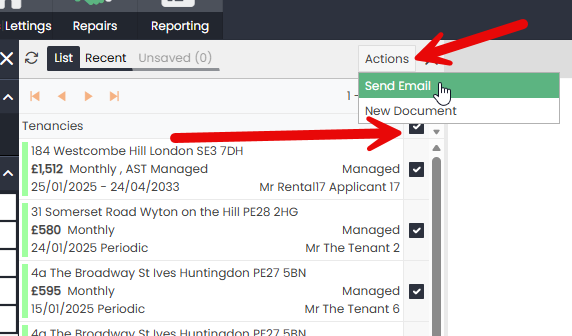
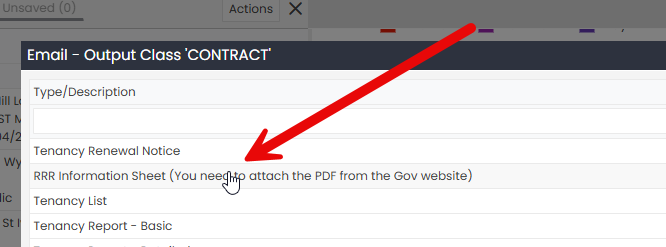
Step 3 : From the Actions Menu, select “Send Email” and then “RRR Information Sheet”
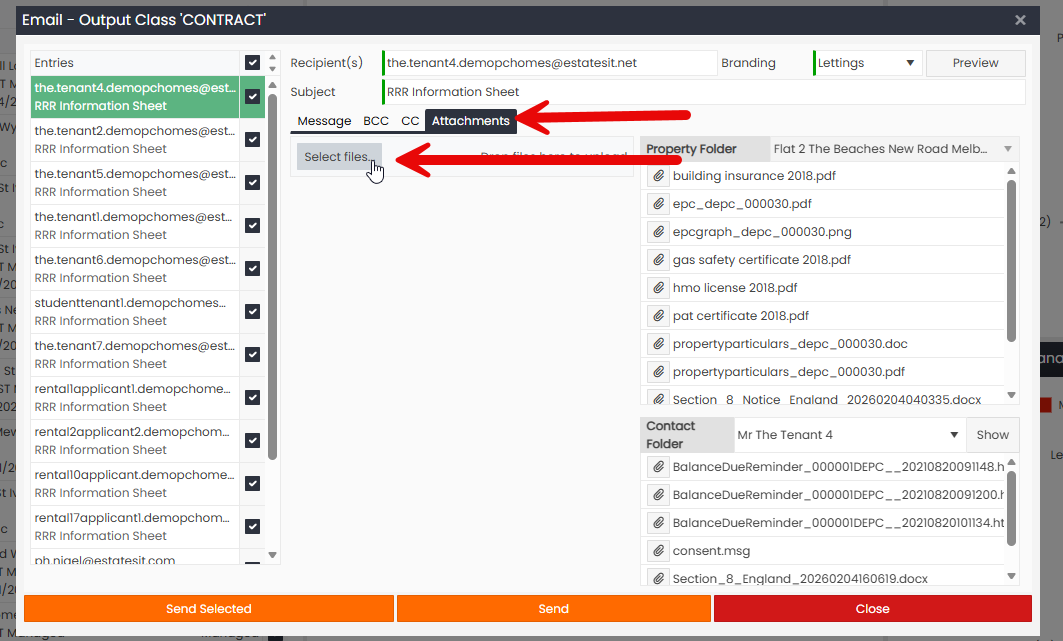
Step 4 : Next, click the “Attachments” tab, then “Select Files” and select the PDF file to attach. Or you can drag the Attachment over the drop here section.
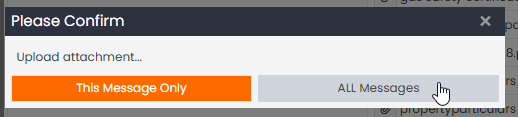
Step 5 : Make sure to click “ALL Messages” on the next confirmation screen, which’ll allow you to attach the PDF to every one of the emails being sent
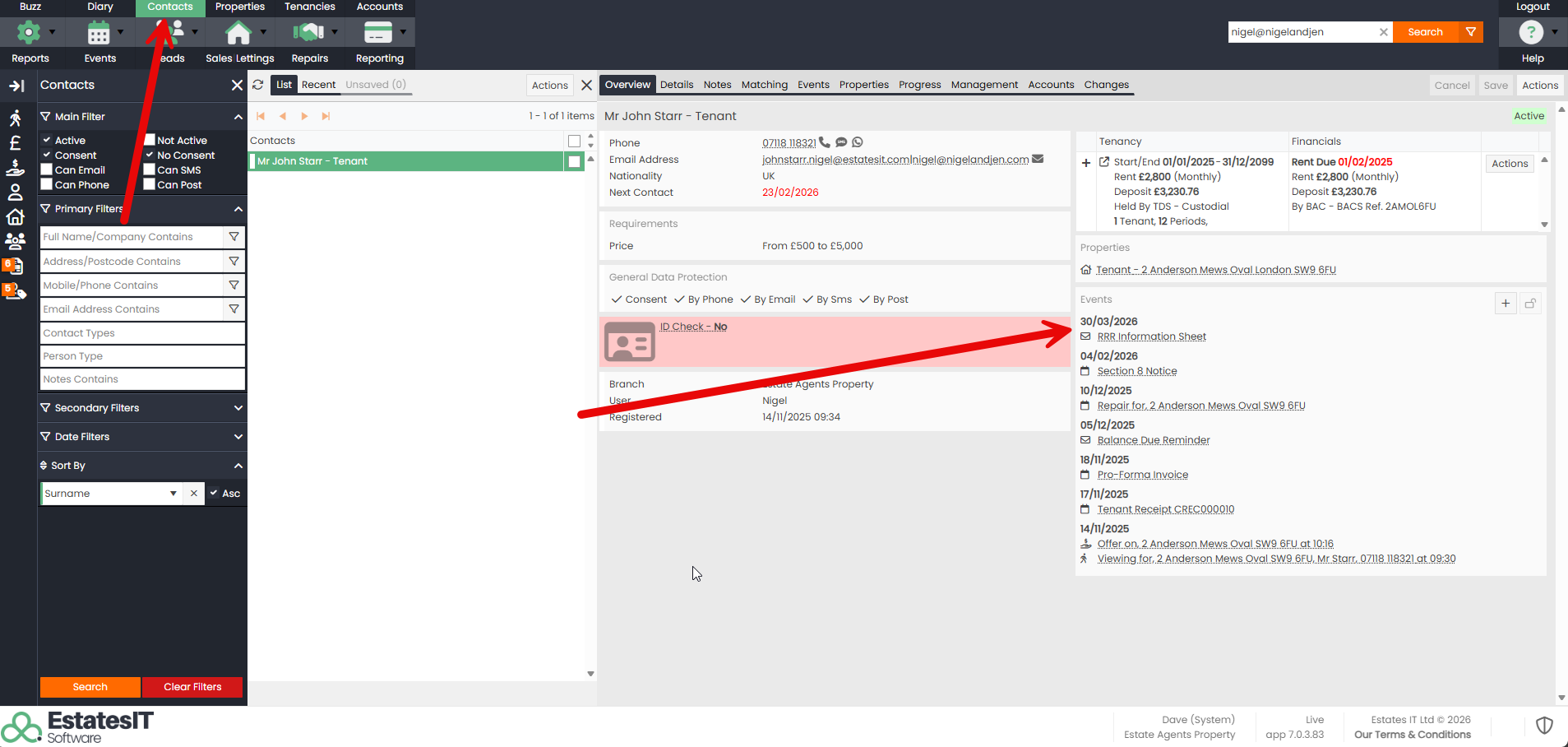
Step 6 : When you send it, we will log this as a diary event against the Tenant, as shown below: